Role-Based Access in Workforce Analytics: Who Should See What
A role-by-role model for workforce analytics access — what staff, line managers, executives, HR and system admins should each see, why burnout scores are HR-only, and how visibility is enforced.
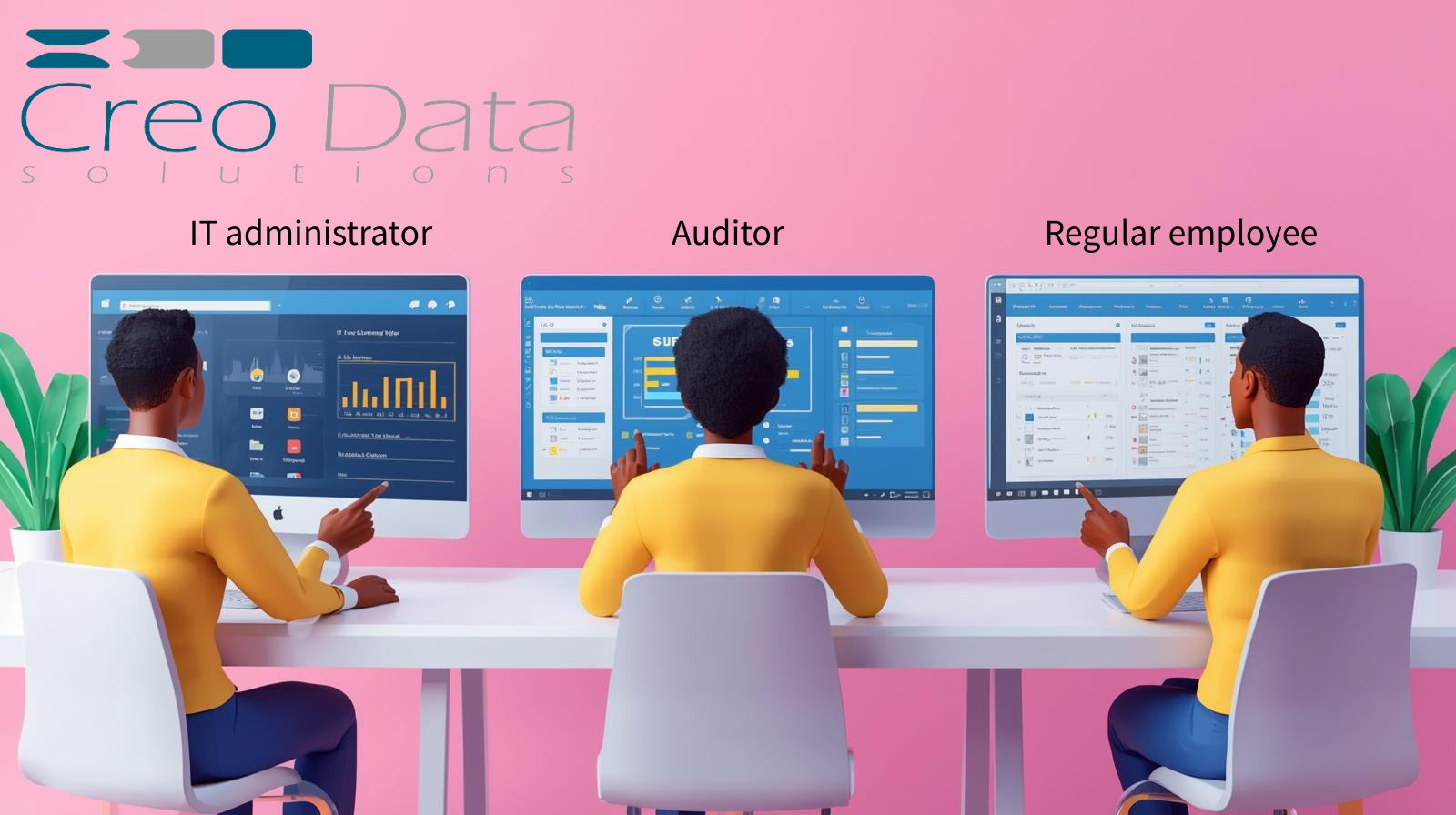
Workforce analytics only earns trust when people can see exactly what each role is allowed to see — and nothing more. A platform that exposes everyone's productivity scores to everyone, or surfaces burnout probabilities to line managers, will fail on governance grounds long before it fails on accuracy. The question is not only what the data shows, but who is permitted to look at it.
WorkforceIntelligence365 (WI365) answers that question with a deliberate role-based access control (RBAC) model. Five seeded roles, each with a tightly drawn scope, enforced at the database query level and again in middleware, with a full audit trail over sensitive access. This article explains the model, why burnout probability is restricted to HR, and how visibility is enforced rather than merely promised.
For the wider context of how WI365 ingests Microsoft 365 metadata and turns it into productivity and wellbeing analytics, see the complete guide to workforce intelligence.
The five roles and their scopes
WI365 ships with five seeded roles. Each defines a scope (whose data a user can see) and a visibility level (which metrics they can see for that population).
| Role | Whose data | Productivity and meeting metrics | Burnout |
|---|---|---|---|
| Staff | Own metrics only | Own scores | None |
| LineManager | Direct reports / team | Team and individual | Factor explanation only (not raw probability) |
| Executive | Department aggregates | Aggregated, no individuals | None |
| HRAdmin | All departments | Full | Probability and risk level |
| SystemAdmin | System-wide configuration | Configuration and user management | None by default |
Staff: own metrics only
A staff member sees their own productivity score, task completion and on-time delivery rates, meeting load and focus hours — and nothing about colleagues. This transparency is the point: people can see how they are measured, understand the inputs, and raise questions. Staff never see peer scores, and WI365 publishes no league tables or rankings.
LineManager: the team, with a careful burnout boundary
Line managers see analytics for their direct reports and team — workload distribution, meeting load, productivity trends — so they can spot an overloaded team member and rebalance work. The deliberate restriction is around burnout. A manager can see the factor breakdown behind a wellbeing concern (for example, sustained after-hours meeting load combined with a rising overdue backlog) but not the raw burnout probability. This gives managers something actionable to discuss without reducing a person to a single risk number. For more on how managers act on uneven workloads, see workload distribution and rebalancing.
Executive: department aggregates, no individuals
Executives see department-level aggregates — how teams are tracking on productivity and meeting load — to inform planning and resourcing. They do not see individual employees, and they do not see burnout at all. Wellbeing risk is a sensitive, individual-level signal that has no place in an executive roll-up.
HRAdmin: all departments and burnout probability
HR administrators are the only role with access to burnout probability and risk level, across every department. HR also sees full cross-department analytics. This is the role equipped — by remit, training and duty of care — to act on wellbeing signals responsibly.
SystemAdmin: configuration, not surveillance
The system administrator manages users, roles, KPI weights, scoring coefficients, department groups, tenant settings and the audit log. The role is about running the platform, not browsing employee analytics; it does not carry burnout visibility by default.
Why burnout probability is HR-only
Burnout scoring is the most sensitive output WI365 produces, so it carries the strictest visibility rules. The default model is an explainable logistic regression that scores weekly features — overdue ratio, meeting hours, after-hours ratio, productivity trend and workload change — into a probability between 0 and 1, banded into Low, Moderate and High risk. You can read more about how that works in predicting employee burnout with analytics and explainable AI in HR analytics.
The probability itself is confined to HR for three reasons:
- Duty of care. A wellbeing signal should reach the function with the remit and training to respond supportively, not trigger a managerial reaction in isolation.
- Avoiding misuse. A raw probability in a manager's hands risks being read as a performance verdict. Exposing only the factor explanation keeps the conversation grounded in workload and patterns, which are addressable.
- No automated consequences. Human-in-the-loop review is mandatory. WI365 takes no automated disciplinary action, and scores are never shown to peers or executives.
These are not optional conventions bolted on at the edges; they are part of the access model itself, which is why visibility is enforced in code.
How visibility is enforced
Access rules are only as good as their enforcement. WI365 applies the model in two layers so that a single missed check cannot leak data.
At the query level. Every fact and dimension table carries a tenant_id, and queries are scoped to both the tenant and the requester's permitted population. A line manager's request for team analytics returns only their reporting line; a staff request returns only their own rows. The reporting hierarchy itself comes from Azure AD (manager relationships synced into the identity store), so scope follows the real org structure.
In middleware. A TenantContext and role checks run in the request pipeline, ahead of any handler. Even a correctly authenticated user cannot reach data outside their role's scope, because the middleware rejects the request before the query executes. The two layers are complementary: middleware gates the route, and query scoping bounds the rows.
The identity underpinning all of this is synchronised from Azure AD — display name, department, job title, manager and office — and the authorisation service is the single source of truth for who is licensed and what they can see.
The permission catalogue and audit trail
Roles map to a permission catalogue rather than ad-hoc flags scattered through the code. Permissions cover viewing own metrics, team metrics, department aggregates and cross-department analytics; viewing burnout probability versus burnout explanation; and administrative actions such as managing users, editing KPI weights and adjusting scoring coefficients. Centralising permissions keeps the model legible to a Data Protection Officer and auditable against a Data Protection Impact Assessment (DPIA).
Sensitive access is logged. The audit_log records who did what and when, with before/after JSON for configuration changes, and login_history captures authentication events. That means access to burnout data, changes to scoring coefficients and adjustments to who is licensed all leave a durable, reviewable trail. For how RBAC fits the broader privacy posture — metadata-only ingestion, configurable retention and transparency to staff — see workforce analytics privacy and governance.
To see the roles, scopes and admin screens in your own tenant, explore the WorkforceIntelligence365 product page or book a demo.
Frequently asked questions
Can a line manager see an employee's burnout probability?
No. Line managers can see the factor breakdown that explains a wellbeing concern — such as elevated after-hours meeting load or a growing overdue backlog — but the raw burnout probability is visible to HR administrators only. This keeps managerial conversations focused on addressable workload patterns rather than a single risk number, and it is enforced at the query level, not left to discretion.
Are the five roles fixed, or can we adjust visibility?
The five roles — Staff, LineManager, Executive, HRAdmin and SystemAdmin — are seeded with sensible default scopes, and visibility is enforced in middleware and at the query level. Role assignment is managed by a system administrator through the admin portal, and configuration changes are captured in the audit log. The core ethics boundaries, such as burnout probability being HR-only and no analytics exposed to peers, are part of the platform's governance posture.
How do you prove who accessed sensitive analytics?
Every action is recorded in the audit log with who, what and when, alongside before/after JSON for configuration changes, and authentication is tracked in login history. This gives HR, IT and your Data Protection Officer a durable, reviewable record of access to burnout data and changes to scoring or licensing — supporting your DPIA and the platform's audit-ready architecture.