Privacy and Governance for Workforce Analytics: A Practical Framework
A practical governance framework for workforce analytics — lawful basis, DPIA, transparency, role-based visibility, data retention, human-in-the-loop and the audit trail that makes the programme defensible.
Workforce analytics earns its place in the organisation only when it is governed properly. The data is sensitive, the inferences are personal, and the line between insight and surveillance is one that staff, works councils and regulators all watch closely. The good news is that getting governance right is not a matter of guesswork. There is a well-understood framework — lawful basis, transparency, role-based visibility, retention, human oversight, auditability and self-service rights — that turns a productivity and wellbeing platform into something an organisation can defend.
This article sets out that framework in practical terms, and shows where WorkforceIntelligence365 (WI365) supports each control. WI365 is a metadata-only platform built on this basis from the ground up: it reads Microsoft 365 metadata via Microsoft Graph and never touches the content of emails, chats, documents or recordings. For the broader picture of how the platform fits together, see the complete guide to workforce intelligence.
Start with a lawful basis and a DPIA
Under the UK GDPR and the EU GDPR, you need a lawful basis to process employee data. For workforce analytics the most appropriate basis is usually legitimate interest: the organisation has a genuine interest in understanding workload, meeting load and burnout risk, and in supporting employees, that can be balanced against their rights. Consent is generally unsuitable in an employment relationship because the power imbalance makes it hard to treat as freely given.
Legitimate interest is not a free pass. It requires a documented Legitimate Interests Assessment and, because workforce analytics involves systematic monitoring of behaviour at scale, a Data Protection Impact Assessment (DPIA). The DPIA records what data you process, why, what the risks to employees are and how you mitigate them. WI365 is designed to support your DPIA rather than replace it: its metadata-only scope, least-privilege Graph permissions and configurable retention give you concrete, defensible answers to the questions a DPIA asks. The platform supports a legitimate-interest basis and is DPIA-ready; the assessment itself remains the organisation's responsibility.
Be transparent: tell staff what is and is not tracked
Transparency is the single most important trust control. Employees should be told, in plain language, what the system measures, what it does not, who can see what, and why. Hidden monitoring is both unlawful and corrosive.
A good transparency notice is specific about boundaries. WI365 makes this straightforward because its boundaries are technical, not just policy. It ingests:
- Microsoft Planner task metadata: title, priority, weight, status and the created, due and completed dates.
- Calendar event metadata from Outlook and Teams: start and end times (and therefore duration), organiser, recurrence and cancellation flags. Never the content of an invitation or what was said in the meeting.
- Azure AD organisational data: name, department, job title, manager and office.
It uses only five least-privilege Graph scopes (Directory.Read.All, User.Read.All, Group.Read.All, Tasks.Read.All and Calendars.ReadBasic.All), and it never requests Mail.Read or Chat.Read. It does not read email or chat content, meeting recordings, document contents, keystrokes, screen activity or browsing history. That clear separation is exactly what distinguishes analytics from monitoring — a distinction explored in employee monitoring versus workforce analytics. Staff can see their own metrics through the portal, which is itself a form of transparency.
Control who sees what: role-based visibility
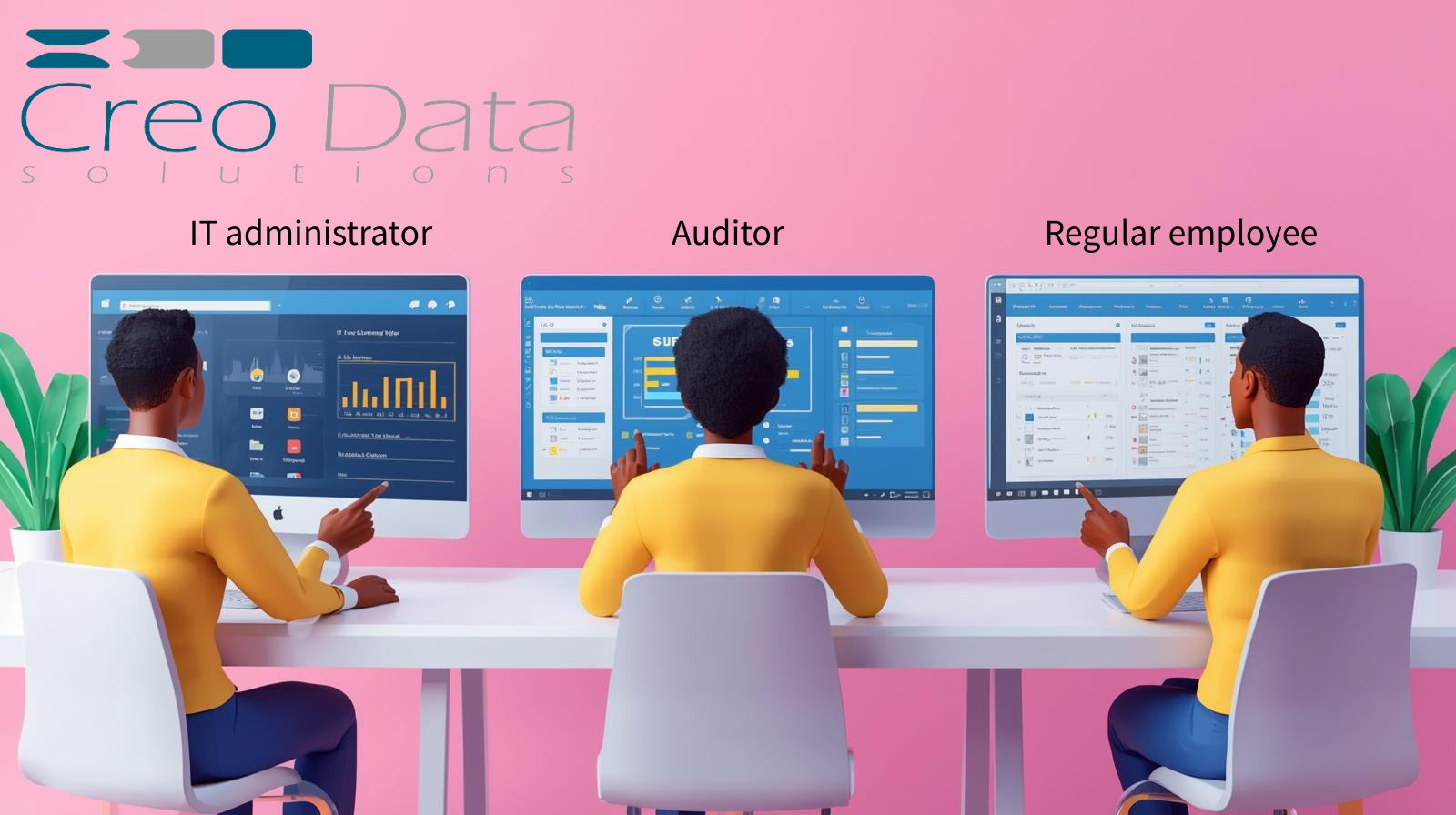
Even with the right data, governance fails if everyone can see everything. WI365 enforces visibility at the query level and in middleware through five seeded roles:
| Role | What they can see |
|---|---|
| Staff | Their own metrics only |
| Line Manager | Direct-reports and team analytics, plus burnout factor explanations |
| Executive | Department-level aggregates (no burnout) |
| HR Admin | All-department analytics, including burnout probability |
| System Admin | System configuration and user management |
Burnout is the most sensitive output, and its visibility is deliberately tiered: the raw burnout probability is visible to HR administrators only, line managers see the factor breakdown but not the probability, and executives do not see burnout at all. Scores are never exposed to peers. For the detail of how this access model is designed and enforced, see role-based access control for workforce analytics.
Set configurable data retention
You should not keep personal data longer than you need it, and retention is a question your DPIA must answer. A sensible model distinguishes raw, identifiable detail from longer-lived aggregates: granular task and meeting records have a shorter useful life than the de-identified trend data used for planning.
WI365 exposes a configurable retention setting in tenant settings, with a default retention window of 730 days. Because the period is a setting rather than a hardcoded value, you can align it to your own retention schedule and the conclusions of your DPIA. Treat the retention window as part of the governance framework the product supports: the platform gives you the control, and your data protection policy decides where to set it.
Keep humans in the loop: no automated discipline, no rankings
Wellbeing analytics must never become an automated judge. WI365 is built so that scores inform conversations, not decisions taken without people. Human-in-the-loop review is mandatory: there is no automated disciplinary action, and there are no published rankings or leaderboards that pit colleagues against one another.
This matters most for burnout. The default model is an explainable logistic regression computed in SQL, chosen precisely because HR needs to defend and explain a wellbeing flag, not point at a black box. A High risk level is a prompt for a manager or HR partner to check in, redistribute workload or have a supportive conversation — never a metric to act on mechanically. The reasoning behind that design choice is set out in explainable AI for HR analytics.
Make it auditable: audit log and login history
Governance you cannot evidence is governance you cannot defend. WI365 maintains an audit log that records who did what and when, capturing before-and-after JSON for configuration changes, alongside a login history. If an administrator changes a KPI weight, a scoring coefficient or a retention setting, that change is recorded. This audit-ready architecture is designed for SOC 2 and GDPR-aligned controls. It is important to be precise here: WI365 is built to support those controls, not certified against them — SOC 2 evidence collection and penetration testing are recommended steps an organisation undertakes, not claims the product makes.
Honour data subject rights: self-service and erasure
Employees have rights over their data, including the right of access and the right to erasure. WI365 provides a self-service Data and GDPR area within Settings so that an individual can review and export the data held about them, rather than relying on an ad hoc manual process. Combined with soft-delete handling when a user is removed from Azure AD, this gives the organisation a practical foundation for meeting subject-access and deletion obligations, with the formal request workflow and statutory deadlines managed through your own data protection process.
Establish an ethics and oversight committee
Technology controls are necessary but not sufficient. The most mature organisations stand up a small oversight body — drawn from HR, IT, legal or data protection, and ideally employee representation — to own the governance posture: approving the DPIA, agreeing the transparency notice, setting retention, reviewing how burnout flags are used and revisiting the configuration over time.
WI365 supports this model rather than replacing it. The configurable KPI weights, scoring coefficients, alert thresholds and retention settings are the levers such a committee governs, and the audit log gives it the evidence to do so. The committee, the DPIA and the retention schedule are the governance framework around the product; the platform is engineered to make that framework enforceable and inspectable. To see how the wider platform is built around these controls, you can also explore the WorkforceIntelligence365 product page or the external product website.
Frequently asked questions
Is legitimate interest or consent the right lawful basis for workforce analytics?
For most organisations, legitimate interest is the more appropriate basis, because consent is difficult to treat as freely given in an employment relationship. Legitimate interest requires a documented Legitimate Interests Assessment and, given the scale of processing, a DPIA. WI365's metadata-only design and configurable controls are intended to support that basis and your DPIA.
Does WorkforceIntelligence365 read employees' emails or chat messages?
No. WI365 is strictly metadata only. It uses least-privilege Microsoft Graph scopes and never requests Mail.Read or Chat.Read, so it cannot read email or chat content, meeting recordings, documents, keystrokes or screen activity. It analyses task and calendar metadata and organisational structure, nothing more.
Can we control how long WorkforceIntelligence365 keeps data?
Yes. Retention is a configurable setting in tenant settings, defaulting to 730 days, so you can align it with your own retention schedule and DPIA conclusions. You can distinguish the practical lifespan of granular records from longer-lived aggregate trends, and any change to the setting is captured in the audit log.
Is WorkforceIntelligence365 SOC 2 or ISO 27001 certified?
WI365 has an audit-ready architecture designed for SOC 2 and GDPR-aligned controls, including a full audit log, login history and role-based access enforcement. It is designed to support those controls rather than being certified against them; SOC 2 evidence and penetration testing are steps an organisation undertakes as part of its own assurance programme. To discuss your governance requirements, book a demo or talk to our team.