Deploying Workforce Analytics: Azure Marketplace Managed App or On-Premises
Two deployment paths for workforce analytics — a one-click Azure Marketplace managed application in your own subscription, or on-premises Kubernetes — and how per-user metered billing and backend switches work.
Choosing a workforce analytics platform is only half the decision. How it is deployed, where the data lives, how it is billed and how tightly it is networked all matter just as much to IT, security and procurement teams as the analytics themselves. WorkforceIntelligence365 (WI365) is designed to be straightforward on this front: it ships as an Azure Marketplace managed application that provisions into your own subscription, and it can equally run on-premises on Kubernetes for organisations that need everything inside their own data centre.
This article explains both deployment paths, the metered billing model, and the zero-trust networking and managed-identity posture that underpins them. For the full picture of what the platform measures, see the complete guide to workforce intelligence and the WorkforceIntelligence365 product page.
The Azure Marketplace managed application
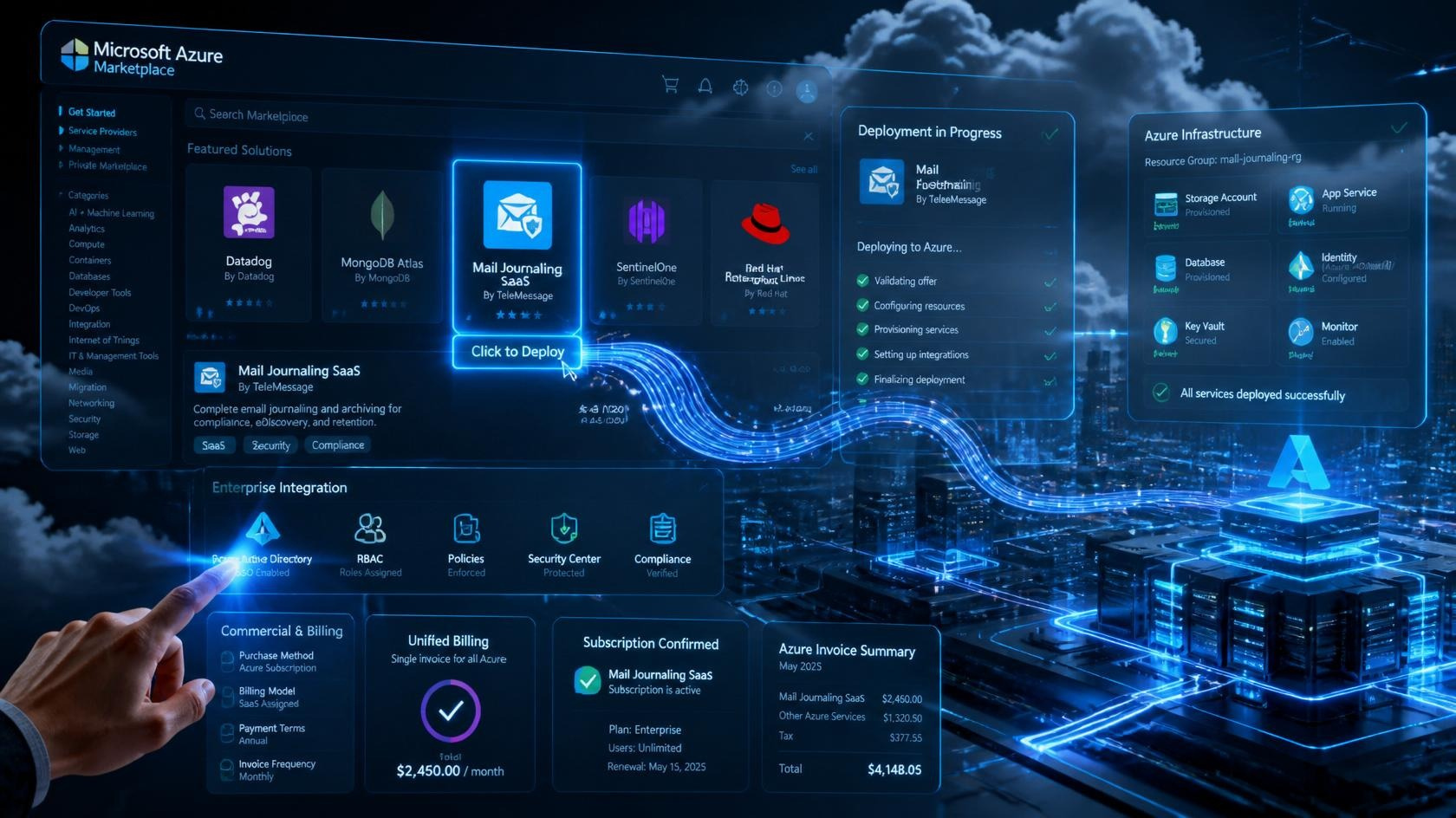
For most Microsoft 365 organisations, the managed application is the simplest route. WI365 is published to the Azure Marketplace as a managed app, which means you acquire it through your existing Azure agreement and the billing flows through your normal Microsoft invoice. There is no separate procurement contract to negotiate for the cloud entitlement.
When you deploy, the solution is provisioned from Bicep/ARM templates into a dedicated managed resource group inside your own Azure subscription. That resource group contains:
- The .NET 9 Azure Function Apps that run productivity sync, the analytics API, burnout scoring, notifications, authorisation and metering.
- A PostgreSQL Flexible Server (PostgreSQL 16) as the data store, holding every metric, snapshot and audit record.
- An Azure Service Bus namespace for asynchronous, event-driven messaging between services.
- An Azure Key Vault for certificates and secrets.
- A virtual network (VNet) with private endpoints, so the database and internal services are never exposed to the public internet.
The infrastructure is described as code in Bicep/ARM templates, which makes each deployment repeatable and reviewable. Because it is a managed application, Creodata can operate and update the solution while the resources remain in your subscription and under your governance.
Granting Microsoft Graph consent
Once the resources are provisioned, a tenant administrator grants read-only Microsoft Graph consent. WI365 requests least-privilege scopes only: Directory.Read.All, User.Read.All, Group.Read.All, Tasks.Read.All and Calendars.ReadBasic.All. It never requests Mail.Read or Chat.Read, and it cannot read email bodies, chat or Teams messages, recordings, document contents, keystrokes or screen activity. It reads metadata only. The detail of exactly which signals are ingested is covered in how WI365 uses Microsoft Graph data.
After consent is granted, the Authorization service begins syncing your Azure AD organisation structure into the platform via delta query, and the sync engine starts pulling Planner task and calendar event metadata incrementally. The sync orchestrator runs on a timer roughly every 15 minutes in production, while productivity snapshots and burnout scoring run as weekly jobs, so the first full set of weekly productivity, meeting-load and burnout analytics appears after the first weekly cycle has completed.
A typical timeline
| Step | What happens | Owner |
|---|---|---|
| Acquire | Purchase the managed app via the Azure Marketplace under your enterprise agreement | Procurement / IT |
| Provision | Bicep/ARM deploys Function Apps, PostgreSQL, Service Bus, Key Vault and VNet into a managed resource group | Automated |
| Consent | Tenant admin grants read-only Graph scopes; admin consent required | Tenant administrator |
| First sync | Organisation structure, Planner tasks and calendar metadata ingested incrementally (about every 15 minutes) | Automated |
| Insights | Weekly productivity, meeting-load and burnout analytics surface | After the first weekly cycle |
For a fuller end-to-end view including stakeholder sign-off, role configuration and pilot scope, the implementation guide walks through the wider rollout.
Per-user metered billing through the marketplace
WI365 is billed per user, metered through the Azure Marketplace Metering API. The Metering microservice counts active, sync-enabled users and submits usage to the marketplace so the charge appears on your Azure bill. Importantly, this metering service runs in Creodata's own publisher tenant, not inside your subscription, which keeps the commercial measurement cleanly separated from your operational deployment.
Rates are tiered and the tiers are configurable rather than hardcoded, with effective-date versioning so pricing changes apply cleanly over time. The published marketing tiers are:
- Starter — up to roughly 100 users.
- Pro — roughly 100 to 1,000 users.
- Enterprise — 1,000+ users.
Pricing is in USD. Because billing is driven by the count of sync-enabled users, you pay in line with the population you actually licence for productivity sync, and the Authorization service is the single source of truth for which users are included.
The on-premises Kubernetes option
Some organisations cannot, or prefer not to, run people analytics in the public cloud. WI365 supports a fully on-premises deployment on Kubernetes, packaged with kustomize (with Docker Compose available for smaller footprints). This runs the same single codebase.
The platform achieves this through a set of backend switches that select infrastructure providers at configuration time rather than in code:
| Concern | Azure default | On-premises substitute | Switch |
|---|---|---|---|
| Data store | PostgreSQL Flexible Server | PostgreSQL 16 | — |
| Messaging | Azure Service Bus | RabbitMQ | MESSAGING_BACKEND |
| Object storage | Azure Blob Storage | MinIO | STORAGE_BACKEND |
| Identity | Azure AD | Keycloak | AUTH_BACKEND |
| Telemetry | Application Insights | OpenTelemetry | TELEMETRY_BACKEND |
| Burnout scoring | SQL logistic regression (default) | SQL logistic regression (default) | SCORING_BACKEND |
The burnout model defaults to explainable logistic regression computed in SQL on both deployment paths, chosen for transparency and HR defensibility; an Azure ML endpoint is available as an optional backend if you prefer to host the model separately. You can read more about that choice in explainable AI for HR analytics.
Because these are configuration switches over one shared implementation, the analytics, role-based visibility and governance behave identically whether you run on Azure PaaS or in your own cluster. On-premises deployments are licensed under a Kubernetes licensing arrangement rather than marketplace metering; talk to sales about the right model for your environment.
Zero-trust networking and managed identity
Both deployment paths follow a zero-trust posture. On Azure, the database runs behind private endpoints inside a VNet with no public endpoint, so there is no internet-facing database to attack. Services authenticate to one another and to Graph using managed identity and certificate-based, app-only authentication, which removes long-lived shared secrets from the application layer. Secrets and certificates that are required are held in Azure Key Vault rather than in configuration files.
Every layer is multi-tenant aware: a tenant identifier is carried on every fact and dimension table and enforced through a tenant context in middleware, so data from one tenant cannot leak into another. On the on-premises path, the equivalent controls apply within your network boundary, with Keycloak handling identity and your own perimeter governing access.
This is an audit-ready architecture designed for SOC 2 and GDPR-aligned controls, and it is built to support your own data protection impact assessment (DPIA). It is proven at enterprise scale, with production deployments running thousands of users across multiple tenants, weekly burnout scoring and Graph sync every 15 minutes. For how role-based visibility is enforced across these deployments, see RBAC in workforce analytics.
Which path is right for you?
- Choose the Azure Marketplace managed application if you are a Microsoft 365 organisation that wants the fastest, lowest-effort route, billing consolidated onto your Azure invoice, and infrastructure provisioned automatically into your own subscription.
- Choose on-premises Kubernetes if regulatory, data-residency or architectural requirements mean every component must run inside your own data centre.
In both cases you run the same product, with the same metadata-only data model and the same role-based governance. You can compare both alongside the wider Creodata Azure portfolio on the WorkforceIntelligence365 product page, across all Creodata products, or at the WorkforceIntelligence365 website.
Frequently asked questions
How soon do insights appear after deploying WI365?
For the Azure Marketplace managed application, infrastructure is provisioned automatically from Bicep/ARM templates, and once a tenant administrator grants read-only Microsoft Graph consent the platform begins syncing. The sync orchestrator runs roughly every 15 minutes to ingest organisation structure, Planner tasks and calendar metadata incrementally, while productivity snapshots and burnout scoring run as weekly jobs. The first full set of weekly productivity, meeting-load and burnout analytics therefore appears once the first weekly cycle has completed.
Where does my data live, and who can access the database?
In the Azure deployment, all data is stored in a PostgreSQL Flexible Server provisioned into a managed resource group within your own Azure subscription, behind private endpoints in a VNet with no public database endpoint. On-premises, the data lives in your own PostgreSQL instance inside your network. In both cases the data is multi-tenant isolated and access is governed by role-based controls and managed identity.
How is WI365 billed, and can the pricing tiers change?
WI365 uses per-user metered billing through the Azure Marketplace Metering API, counting active, sync-enabled users, with the metering service running in Creodata's publisher tenant. Tiers are configurable rather than hardcoded and are versioned by effective date, so pricing can be updated cleanly. Public tiers are Starter (up to roughly 100 users), Pro (roughly 100 to 1,000) and Enterprise (1,000+), priced in USD, with separate Kubernetes licensing for on-premises deployments.
Can WI365 run entirely on-premises without any Azure services?
Yes. WI365 runs the same codebase on Kubernetes using backend switches that substitute PostgreSQL, RabbitMQ, MinIO and Keycloak for the equivalent Azure services. The analytics, role-based visibility and governance behave identically to the Azure deployment, so you can keep every component within your own infrastructure. To discuss the right deployment and licensing model, book a demo or talk to our team.