
Streamlining Expense Approvals with Custom Workflows
Deploy configurable expense approval workflows that speed reimbursements, maintain compliance, and delight employees with Creodata's automation platform.
Introduction
Managing employee expense reimbursements can be daunting. Traditional methods—involving manual form submissions, stacks of receipts, and tedious back-and-forth approvals—are slow, error-prone, and frustrating for both employees and finance teams. With workflow automation, particularly through custom approval workflows, organizations can dramatically transform this process. These workflows enable configurable, multi-level routing and delegation, enhanced by automatic flags for policy deviations. Creodata's Expense Management solution brings this vision to life with an intuitive, AI-enhanced platform.
In this article, we'll explore how Creodata's platform applies these features to help organizations streamline expense approvals, reduce errors, and elevate operational efficiency. We'll also define the target audience and highlight the advantages of adopting this approach.
Target Audience
This article is tailored for:
- Finance teams and controllers overseeing reimbursement processes
- Operations managers and expense administrators looking to reduce workflow bottlenecks
- HR and IT leaders involved in digital transformation initiatives
- CFOs and executives aiming to improve financial control, policy compliance, and employee satisfaction
The Challenge of Manual Expense Reimbursements
Manual expense management often leads to:
- Lengthy turnaround times, stalling approvals and reimbursements
- High error rates, from misplaced receipts to incomplete submissions
- Policy non-compliance, with insufficient checks for overspending or invalid expenses
- Lack of visibility, making it difficult for finance to track report status or evaluate trends
These issues can result in financial inaccuracies, diminished employee morale, and unnecessary administrative burden.
Custom Approval Workflows: What They Are
Custom approval workflows enable organizations to define:
- Approval chains based on criteria like amount, expense category, team, or role
- Delegation paths, ensuring continuity when approvers are unavailable
- Automatic flags, highlighting out-of-policy items without delaying compliant expenses
- Multi-level routing, where expenses move through sequential or parallel approval stages
By embedding business logic into automated workflows, organizations ensure faster, consistent, and more compliant reimbursement cycles.
How Creodata's Expense Management Enables Custom Workflows
Creodata's Expense Management solution, available via Azure Marketplace, supports configurable approval workflows through an intuitive admin portal. Key capabilities include:
- Setup of expenses and workflows: Administrators can define expense categories, set multi-stage approval workflows, and integrate with accounting systems—all within a user-friendly interface
- Automated flags and routing: The system automatically flags policy violations and routes expenses based on set business rules
- AI-driven data capture: Employees submit receipts via mobile app or email; AI (Azure Document Intelligence) extracts and categorizes data with over 95% accuracy
- End-to-end automation: Once approved, expenses are seamlessly posted to connected ERP systems like Microsoft Dynamics 365 Business Central
- Real-time visibility and control: Finance teams gain insight into spending patterns, compliance metrics, and pending approvals
- Enterprise-grade security and auditability: Built on Azure with encryption, identity management, audit trails, and compliance with standards like GDPR and ISO 27001
Benefits of Configurable, Multi-Level Approval Workflows With Automatic Flags
Let's delve into the practical advantages these workflows offer.
Faster Approvals
Automated routing eliminates manual handovers. Eligible expenses move directly through the approval chain, while flagged cases are routed only when necessary—accelerating overall processing time.
Higher Accuracy and Data Integrity
AI-powered receipt extraction and predefined forms reduce manual entry errors. Policy checks ensure documentation is present and correctly formatted.
Policy Enforcement and Risk Mitigation
Automatic flagging alerts approvers when expenses violate policy thresholds—without delaying compliant submissions. This balance protects the organization while minimizing friction.
Transparency and Visibility
Dashboards reveal approval statuses, spending patterns, and exceptions in real-time. Finance and leadership gain control over expense flows and emerging trends.
Scalability and Flexibility
As organizations grow, workflows can be easily adjusted—adding new approval levels, escalating flagged items, or rerouting tasks when needed.
Auditability and Compliance
Every approval, rejection, and note is logged. With robust audit trails and secure infrastructure, organizations are better prepared for regulatory reviews.
Employee Satisfaction
Employees benefit from simplified submission methods—capture receipts via mobile or email—and faster reimbursements. They avoid unnecessary delays and gain clear visibility into status.
Workflow in Action: Employee Expense Reimbursement Process
Here's a breakdown of how Creodata's workflow automation plays out:
- Submission: An employee takes a photo of a receipt with the mobile app or forwards an expense by email
- AI Extraction: The platform extracts key data—amount, date, vendor, category—with high accuracy
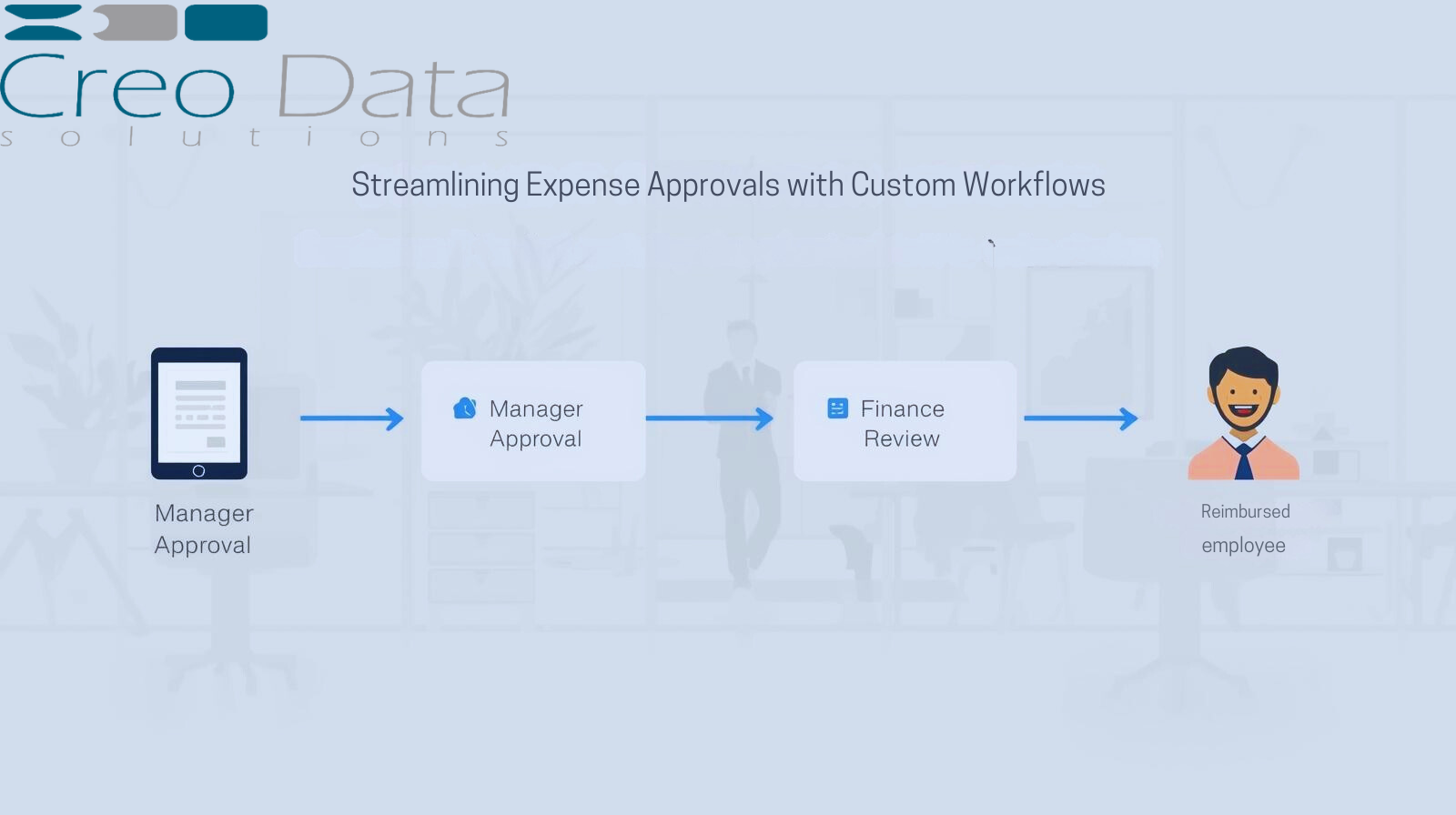
- Routing Decision: The expense enters a configurable approval chain—e.g., supervisor → finance → director—determined by defined logic
- Flagging: If policy breaches are detected (e.g., exceeding thresholds), the item is flagged and routed accordingly
- Notifications and Escalation: Pending approvals trigger reminders or automatic escalation to backups if unreviewed
- Approval and Posting: Once approved, the expense is posted to the ERP system automatically
- Tracking and Analytics: Dashboards update instantly with the expense status and compliance data
- Audit Recording: All actions, annotations, and timestamps are stored securely for review
Deploying the Solution: Getting Started with Creodata
Step 1: Deploy from Azure Marketplace
Quick start—no complex infrastructure setup required.
Step 2: Configure expense categories and workflows
Define what constitutes travel, meals, office supplies—and set approval paths accordingly.
Step 3: Define policy thresholds and flags
Set rules for maximum allowable amounts, duplicate detection, or receipt requirements.
Step 4: Roll out to users
Give employees access to the mobile app or email submission. Train approvers on review and delegation paths.
Step 5: Monitor dashboards and refine
Track approval times, flagged item trends, and processing volumes. Adjust workflows and policies as needed.
Conclusion
Manual expense approvals are not just inefficient—they risk human error, compliance gaps, and employee dissatisfaction. Custom approval workflows, with configurable multi-level routing, delegation, and automatic flags, offer a smarter model. Creodata's Expense Management solution delivers this with AI-driven capture, seamless integration, enterprise-grade security, and powerful visibility.
Finance teams, operations leaders, IT and HR professionals, and executives can all benefit—from faster reimbursements to better control and insights.
For more information, visit Creodata.com